In testing (APK)
TapeNote for Android
Record with your microphone, the sound of other apps or both. Your recording is on your phone first; only when you choose to transcribe does it go to the cloud in the EU.
Version 0.9.0, in testing as an APK file. The Google Play listing follows once Google has verified our account.

What you do with it
Microphone, internal audio or everything
Record with the microphone, the sound of other apps (through the screen recording of Android; only the sound, never the image), or both at once. You can pause at any time, and the VU meter shows the sound coming in.
Choose your microphone
If you have more than one microphone, a headset for example, you choose it in the app. The list updates as soon as you connect or disconnect one.
On your phone first
Your recording is always on your phone first. Only when you tap Transcribe does it go to the cloud.
On your phone, in the cloud or both
For every recording you see where it is: on your phone, on your phone and in the cloud, or only in the cloud. Need space? Remove it from your phone; it stays in the cloud.
Three privacy modes
Standard, Do not keep audio in the cloud, or Privacy mode: everything local. For every recording you see when it was deleted from the cloud.
Your transcript
Read, copy, share and export as TXT, Markdown or subtitles (SRT, VTT). The language is detected automatically: Dutch, English, Spanish or German.
Not in this version yet
- Search in your library, favourites and folders.
- Editing the text, and playing from a sentence by clicking its time.
- Making share links.
- Export to Word or PDF.
- Google Play: during the test you install the app as an APK.
How it works
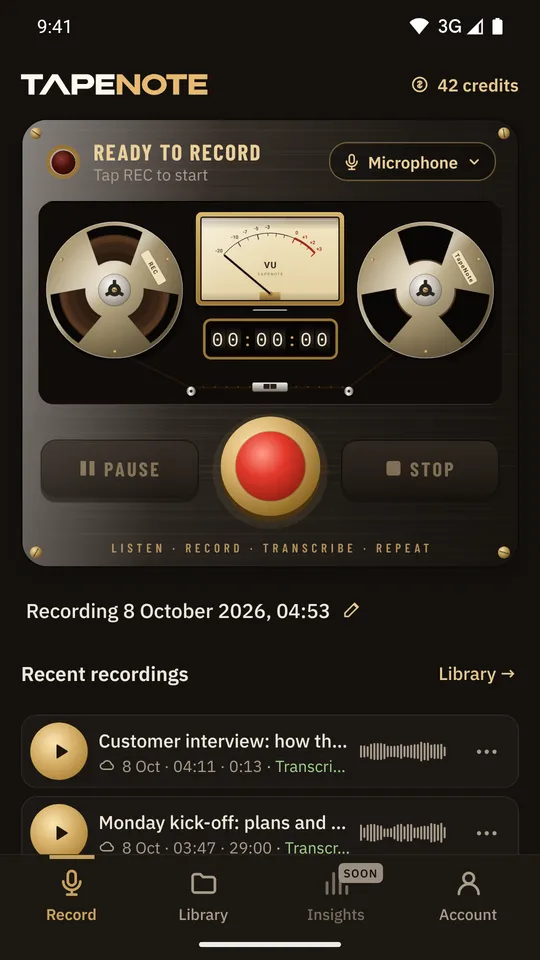
Press REC
The tape deck records with the microphone, the sound of other apps or both.
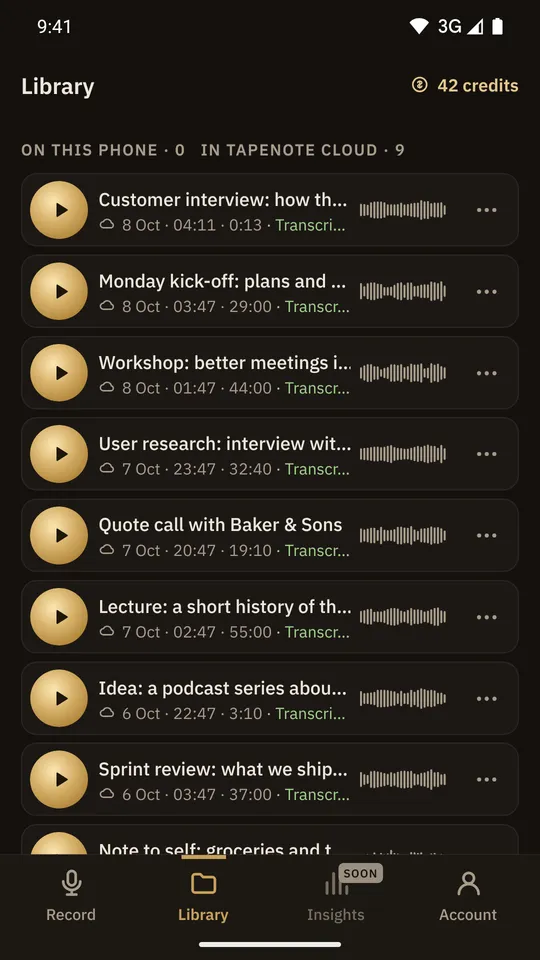
Your library
All your recordings, with their status. Choose transcribe and the recording goes to the cloud.
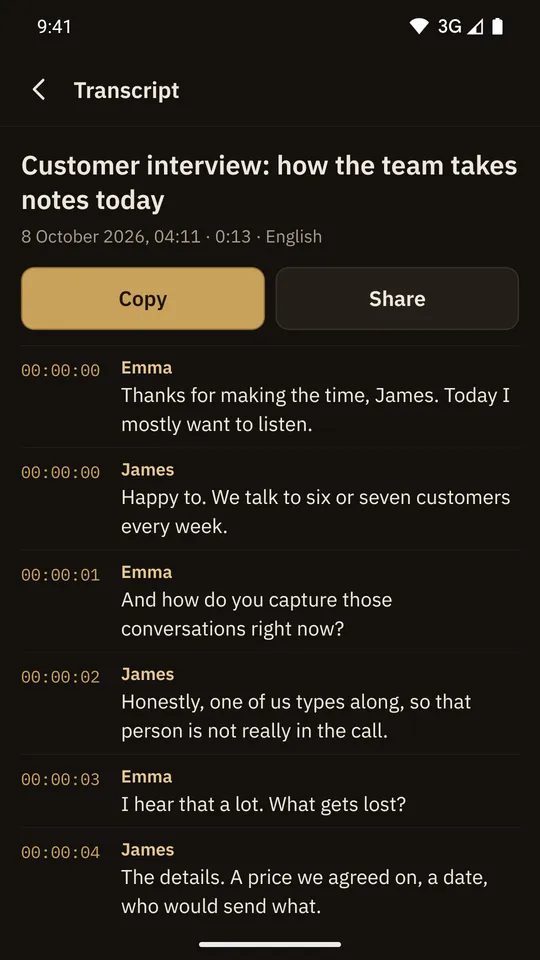
Read the transcript
Read, copy and share, on your phone and in the web app.


System requirements
- Android 7.0 or later
- During the test: the app as an APK file
- A TapeNote account and internet for transcribing
Privacy
Your recording stays on your phone until you choose to transcribe it. Then a copy goes to TapeNote Cloud and is transcribed in the EU. In the mode "everything local" the transcript is then only on your phone.
Read more about privacy and security.
Works together with
Questions about this version
How do I join the test?
With the button above. You install the app as an APK file; Android then asks whether you allow installing from that source.
Can the app transcribe without internet?
No. Recording works offline; transcribing happens in TapeNote Cloud, in the EU.
What do the privacy modes do?
You choose them under Account → Privacy. Standard: audio and transcript stay in the cloud. Do not keep audio: after transcribing, the audio is deleted from the cloud. Everything local: the transcript goes to your phone, and then transcript and audio are deleted from the cloud. For every recording you see "Deleted from the cloud ✓" with the time.
Can I delete my account in the app?
Yes, under Account. That also deletes your data in the cloud.
Will the app be in Google Play?
Yes, as soon as Google has finished verifying our developer account.
Test TapeNote on Android
Join the test and record your next conversation with your phone.