Modern transcription · vintage looks
Press REC. The rest becomes text.
TapeNote looks like a tape deck from the seventies, but under the hood runs modern speech recognition. Everything your PC plays (a Teams call, a webinar, a YouTube video) becomes a searchable, timestamped transcript on your own PC, which you share with one link.
Free during the beta. Windows 10 and 11 today; more platforms to follow.
How it works
Three steps. The first two happen entirely on your own PC; the third only if you want it to.
Record
Press RECORD and play whatever you want to capture. TapeNote records the sound your PC plays, from any app.
- YouTube, Teams, Zoom, podcasts, online courses
- No meeting bot joining your call
- Switch headphones and the recording carries on
Transcribe locally
Press STOP. Whisper turns the recording into timestamped text on your own PC. Nothing goes to the internet.
- Dutch, English, Spanish and German
- Language detected automatically, or pick it yourself
- Fast with an ordinary GPU, fine without one
Share and summarise
Switch on the cloud if you like. Your transcripts then also live in your web library and you share them with a link.
- Share links you can revoke or let expire
- AI summary, labelled and editable Coming soon
- Stored in the EU (Frankfurt)
What it looks like
A tape deck on your desktop, and a calm web library for what you share.
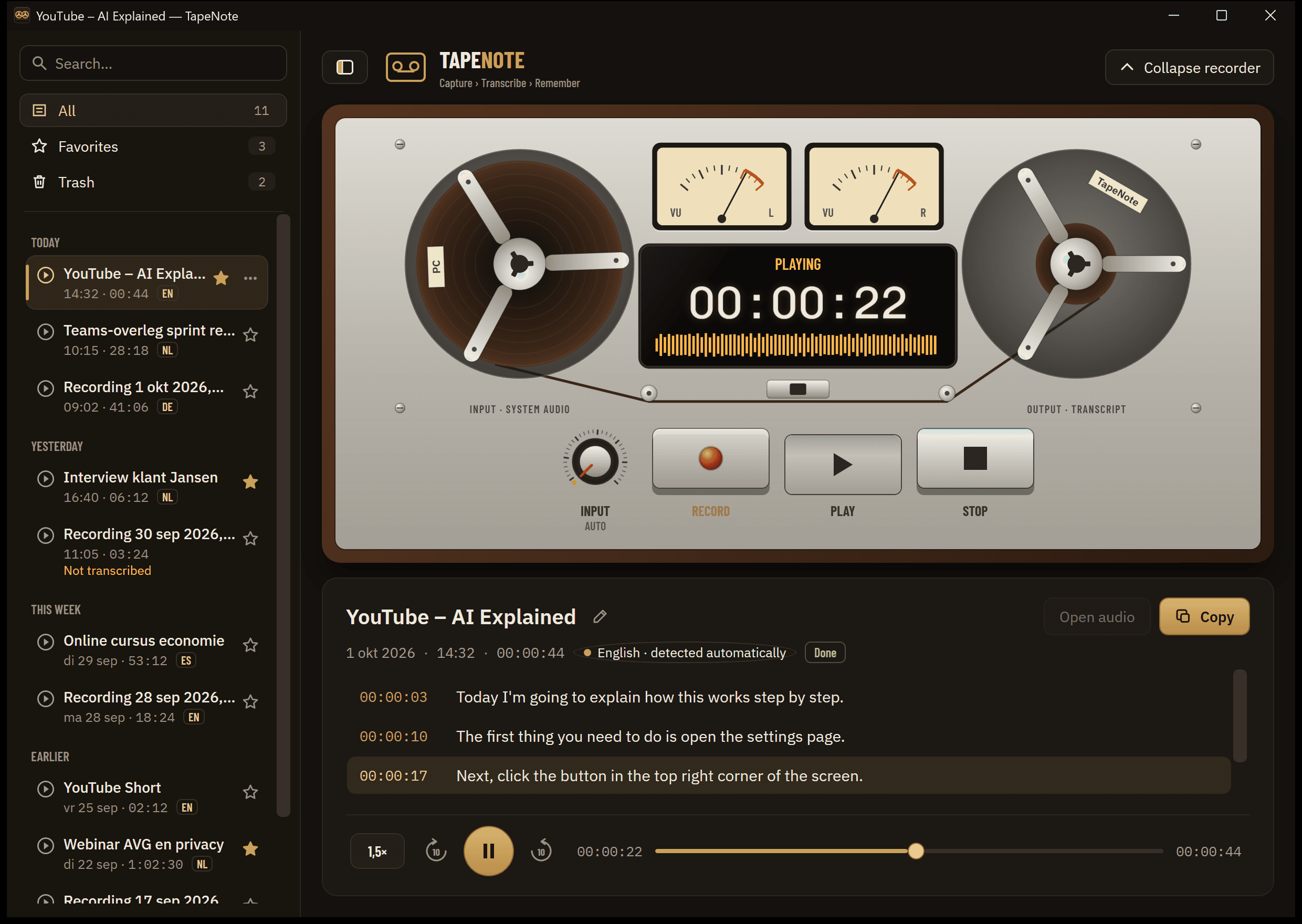
Click a sentence and hear it again, at the speed you like. 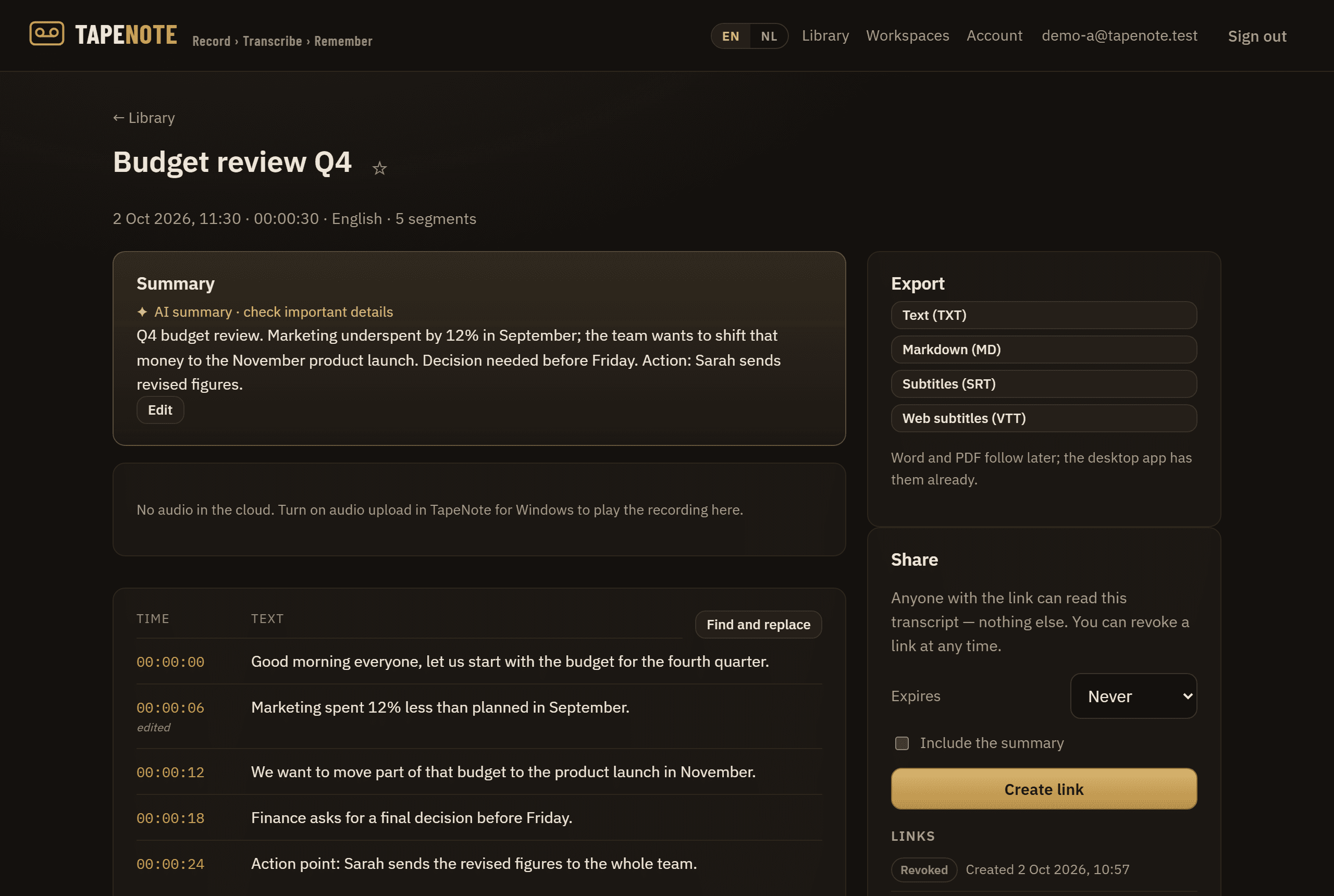
In the web library: read, edit, export and share. 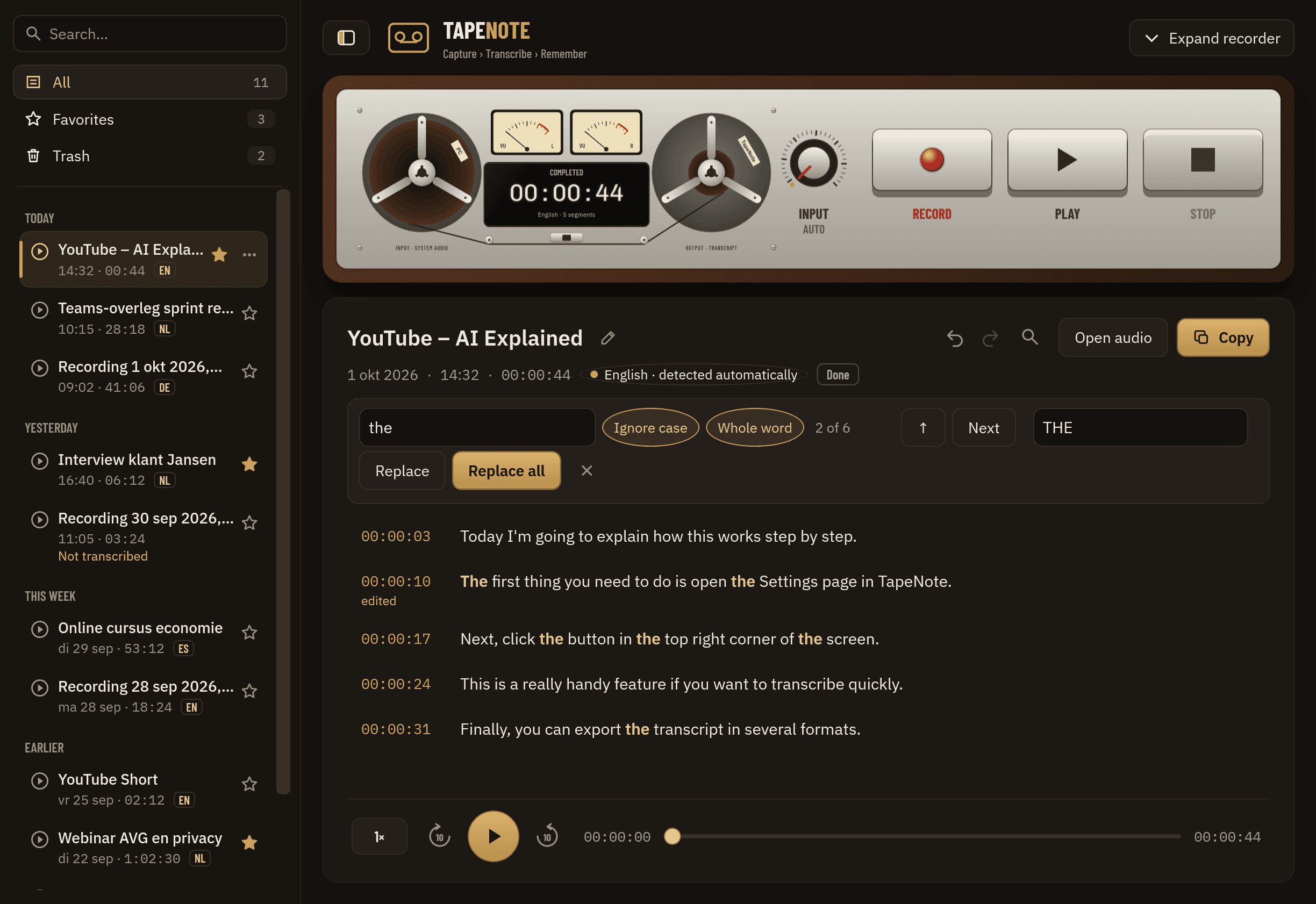
Find and replace, with undo. 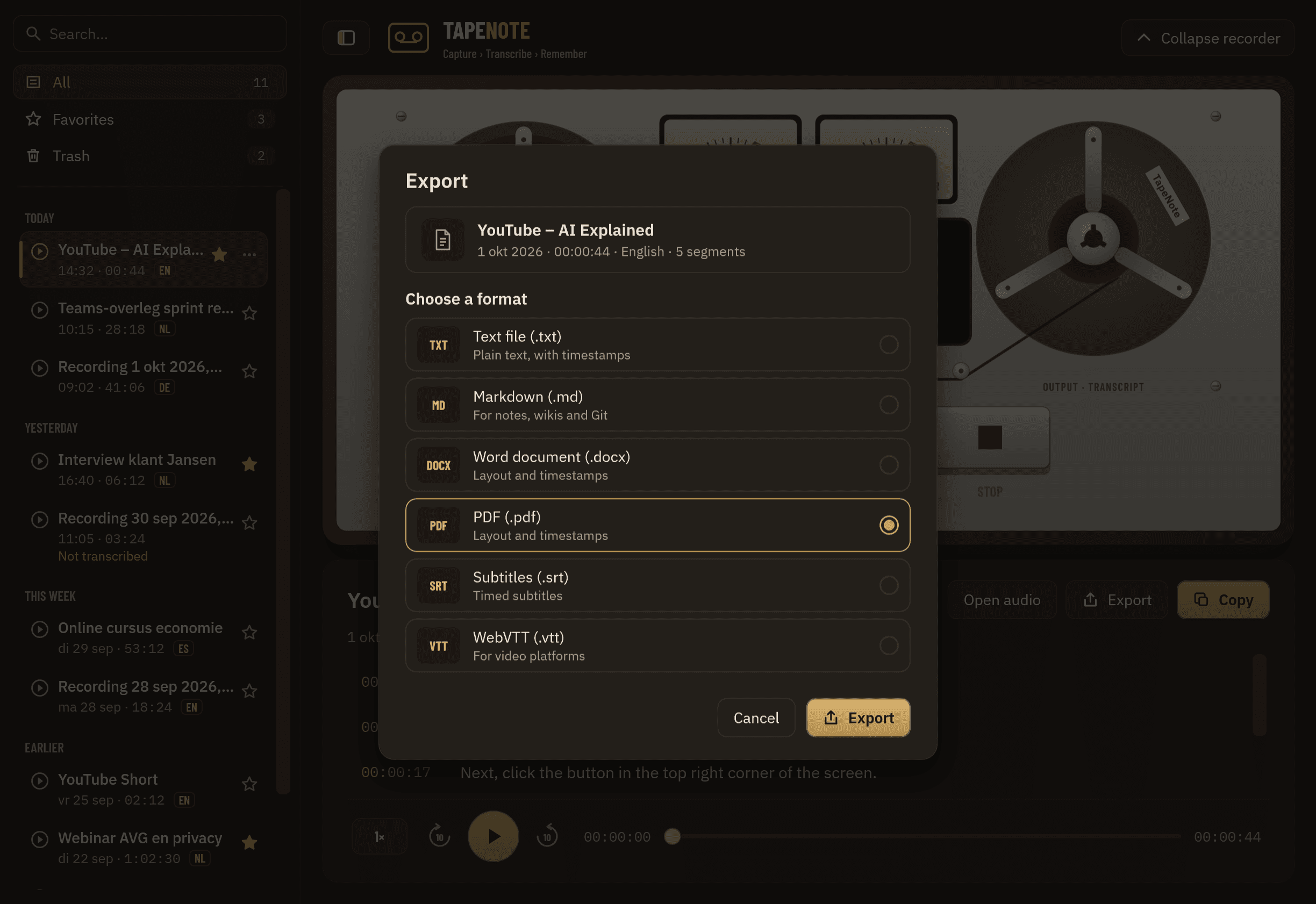
Export to Word, PDF, subtitles and more.
Made for people who listen a lot and would rather not retype
Any PC audio
Desktop appWorks with every app that makes a sound. No plug-in, no bot.
Privacy first
Desktop appTranscription happens on your own PC. Without an account the app makes no network connection at all.
Timestamps and player
Desktop + cloudEvery sentence has its time. Click it and listen again, even at 1.5× or 2× without chipmunk voices.
Edit without worry
Desktop + cloudFix a sentence, find and replace, undo. The original is always kept.
Share with one link
CloudA secret link for whoever has it. Revoke it with one click, or let it expire.
Together as a team
Coming soonShared workspaces with the roles Owner, Member and Viewer.
Your audio stays yours
- Local by default: without an account nothing leaves your PC.
- The cloud only when you sign in and switch on sync. Audio only after an extra confirmation.
- Data in the EU (Frankfurt), isolated per workspace inside the database.
- No training of AI models on your recordings or transcripts.
Local is always free
Recording, transcribing, editing and exporting on your PC costs nothing, even without an account. Later you only pay for what costs money in the cloud. Everything is free during the beta.
- Free€0forever, no credit card needed
- Pro€9a month
- Team€15per editor a month
Frequently asked questions
Is TapeNote Windows only?
Yes, the desktop app is for Windows 10 and 11 (64-bit). Recording system sound reaches deep into the operating system, and TapeNote is built for Windows. The web library and share links work in any modern browser, including on a Mac or a phone.
Will there be a Mac version?
TapeNote is going multiplatform. After Windows come a browser extension and mobile apps; the web library already works on any computer. A Mac app is on the list, without a date yet. Want it? Let us know by e-mail; it counts.
Which languages are recognised?
Dutch, English, Spanish and German. TapeNote detects which of those four is spoken. If it gets it wrong, you choose the language by hand. If a recording switches language, it works best when you set the main language.
How accurate is it?
TapeNote uses Whisper large-v3-turbo, one of the best open speech models. With clear speech and little background noise the result usually reads well without many corrections. Names, jargon, people talking over each other and poor sound cause more errors. That is why you can edit any sentence quickly, and the original is always kept.
Does it work offline?
Yes. Recording, transcribing, editing and exporting work without internet and without an account. You only need internet for the cloud: sync, the web library, share links and AI summaries.
Join the beta
We let beta users in small groups at a time. Sign up, confirm your e-mail address and you will get a personal invitation as soon as there is room.