Available
TapeNote on the web
Your library, the player, sharing and export in your browser. Nothing to install: record or upload a file and read the transcript.
Start for free, with 60 credits a month.

What you do with it
One library
All recordings from your browser, the extension and your phone in one place. With folders, favourites, search in the text and a trash.
Player and transcript
Listen back with the tape deck and click a sentence to jump to that moment. Edit the text where needed.
Record or upload
Record a tab or all the sound (in Chrome and Edge), or upload a file: mp3, m4a, wav and more.
Share with a link
Make a link to the transcript, with an expiry date if you like, and see how often it was opened. You can always revoke it.
Export
TXT, Markdown and subtitles (SRT, VTT), with or without speakers.
Work together
Workspaces with roles: invite others with a link and work on the same recordings.
Three privacy modes
Under Account → Privacy: Standard, Do not keep audio in the cloud, or Privacy mode: everything local. For every recording you see "Deleted from the cloud ✓" with the time.
How it works
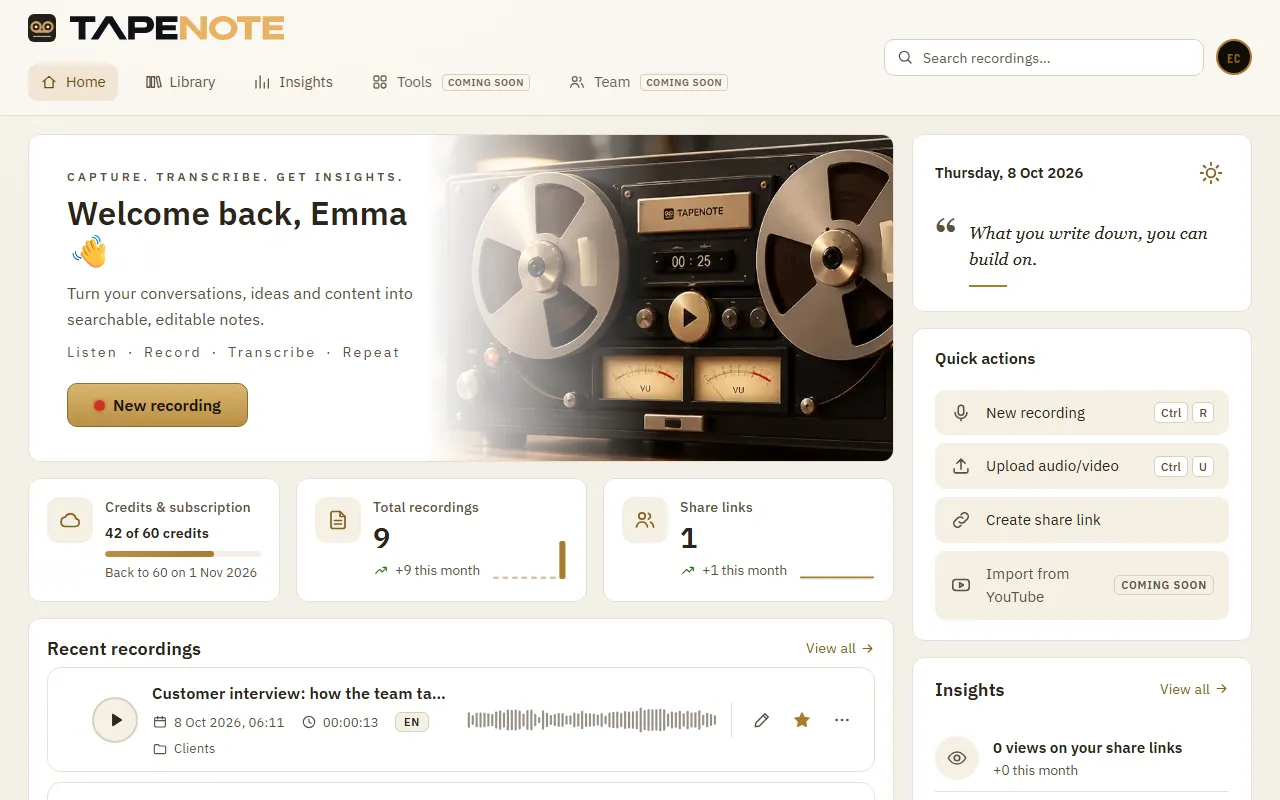
Start at Home
Start a new recording or upload a file.
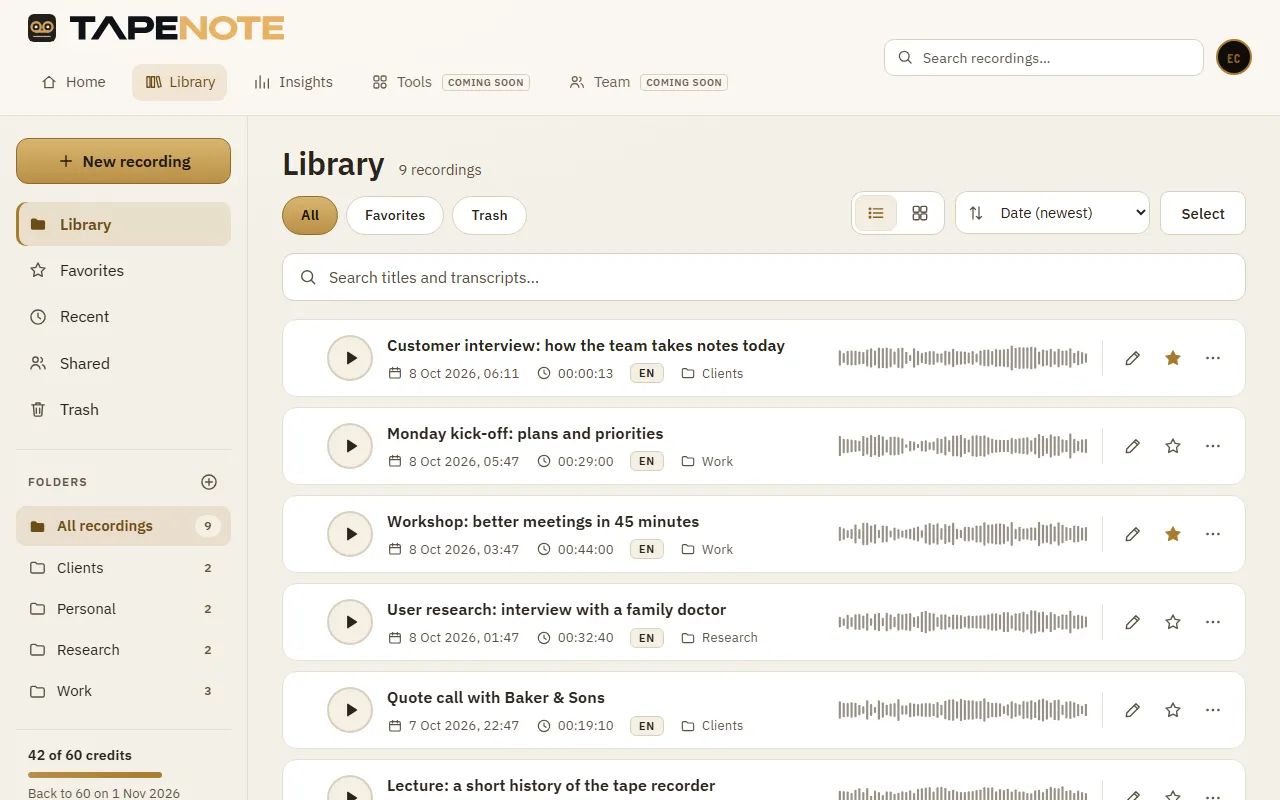
Everything in your library
Your recordings from all your devices, with status, language and waveform.
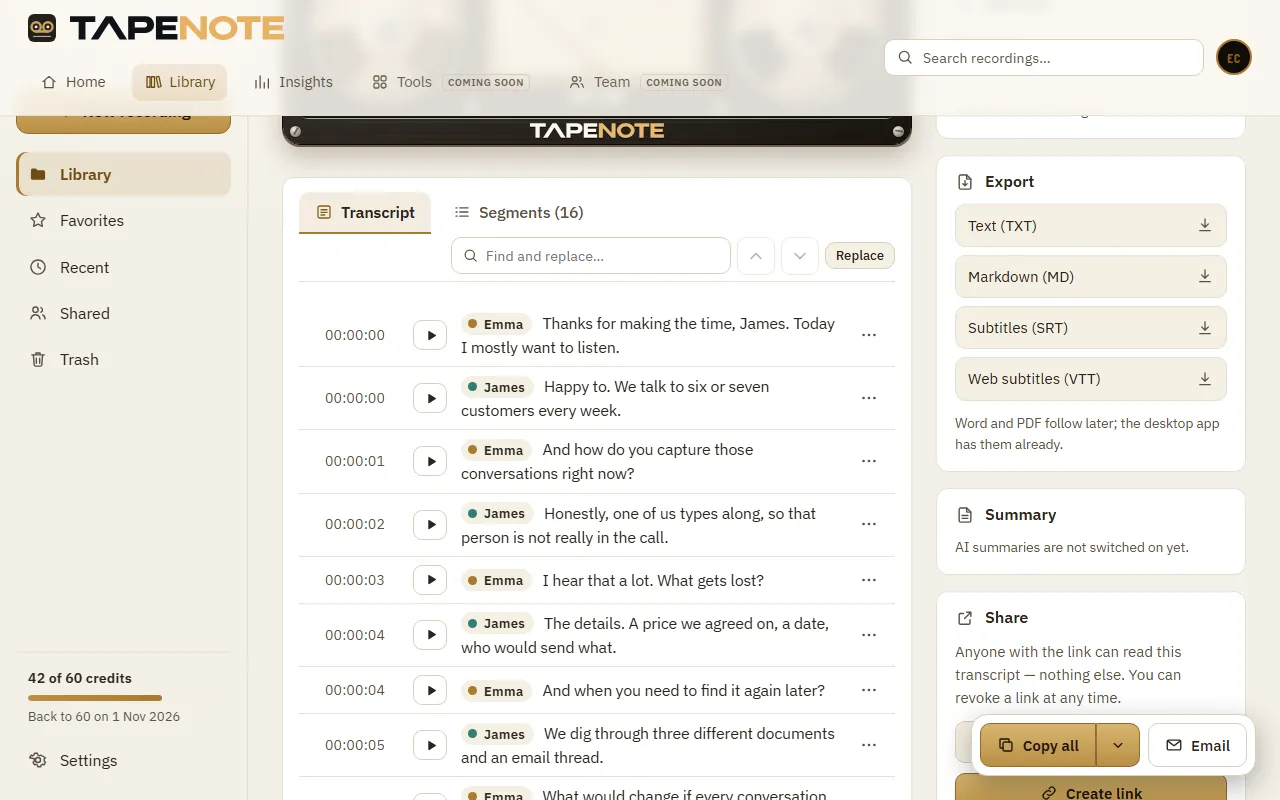
Read, edit and share
The transcript with the player; export it or share it with a link.


System requirements
- A current browser: Chrome, Edge, Firefox or Safari
- Recording a tab or all sound: Chrome or Edge on a computer
- Uploading and reading work in any current browser, on your phone too
Privacy
In the web app your recording is transcribed in the cloud, on servers in the EU. Under Account you choose whether the audio, or even the transcript, then leaves the cloud.
Read more about privacy and security.
Works together with
Questions about this version
Do I need to install anything?
No. Go to app.tapenote.online, create a free account and start.
Which files can I upload?
Common audio and video files such as mp3, m4a, wav, mp4, ogg, webm and flac, up to 500 MB.
Can I record in Safari or Firefox?
Recording the sound of a tab or the whole device works in Chrome and Edge on a computer. In other browsers you can upload a file.
Who can see my transcripts?
Only the members of your workspace, and whoever you give a share link. You can always revoke a share link.
Start in your browser
Create a free account and read your first transcript within minutes.